1. I believe the strongest aspect of my work is my use of lines and that is what I put a lot of effort towards when I take a picture.Usually directional lines leading the eye to move around the page.
2. My angles as they are usually straight on and it is hard to see the texture.
3.Finding places with texture as everything has texture if you look at it the right way.
4. Getting the light right with each picture as the sun does not like to be where I would want it to be.
5. I mostly used the quick selection tool a lot as I found it is the the quickest way to go over something. I also used color contrast to change the colors of certain areas
6. I used symmetry well and changed the color of certain objects to create contrast.
7. No
Tuesday, March 22, 2016

 after
 before
!3 things that represent me
 kiwi bird from New Zealand where dad is from
 London where I lived
 Brentford my favorite soccer team
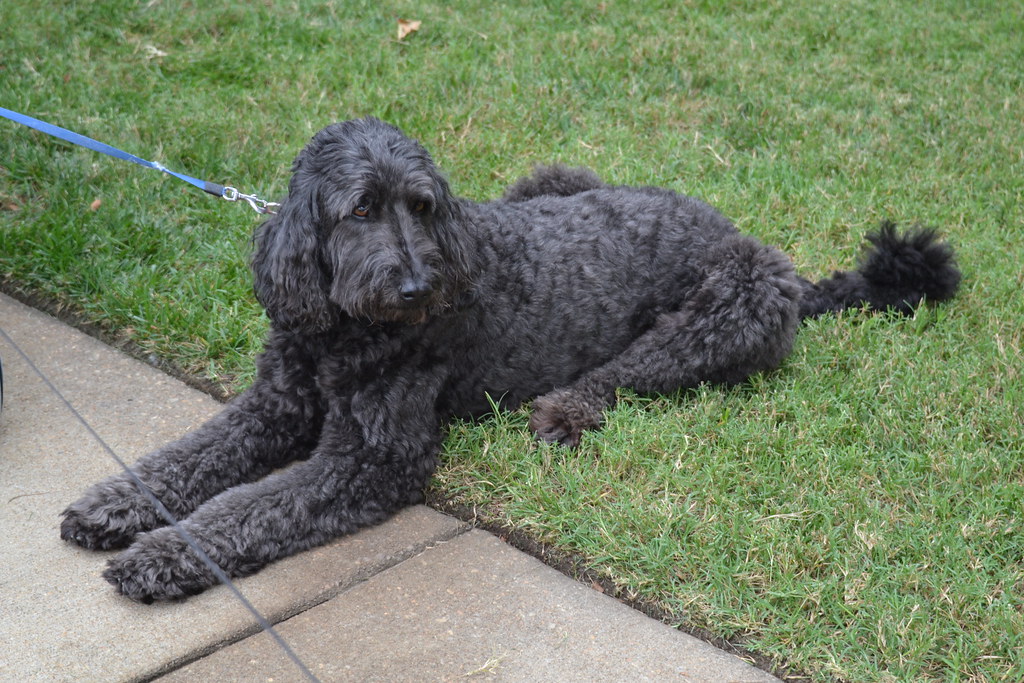 My do
 Crest
 Kieran Read Rugby
 Favorite band
 Best Quarterback
 Two best New Zealand Cricketers
 Favorite animal
 favorite show
 favorite actor
Monday, March 14, 2016

Thursday, March 10, 2016
Texture


1.What is the strongest aspect of your work? Why?
2.What aspect of your work can be improved on? How?
3.What was easy about this art activity? Explain.
4.What was difficult about this art activity? Explain
5.What tools did you use in Photoshop to edit your images? How did you use them? Be Specific
6.How did you demonstrate the objective in this art activity?
7.If you could do this art activity again, what would you do differently
1. The strongest aspect of my work is the rule of three. I look to incorporate this in every picture as it can make or break an image.
2. I can work on my use of implied line to help the viewer experience the whole picture. I could do this by figuring out which area of the picture is brightest and trying to create lines moving your eye around the screen
3. The easiest part was finding the places for these pictures as it was a nice day and it was fun to snap these pictures
4. Photoshopping the picture so the viewer could see the texture easier. It was not easy lighting up the trunk of the tree without it looking abnormal.
5. I used the quick select tool then used color contrast/level to make the water bluer on the lake.
6. By showing texture on the closest object and making lines lead to the points I want the viewer to look at.
7. No
Thursday, March 3, 2016

Thursday, February 25, 2016
line project


picture of fire hydrant.
1.What is the strongest aspect of your work? Why?
2.What aspect of your work can be improved on? How?
3.What was easy about this art activity? Explain.
4.What was difficult about this art activity? Explain
5.What tools did you use in Photoshop to edit your images? How did you use them? Be Specific
6.How did you demonstrate the objective in this art activity?
7.If you could do this art activity again, what would you do differently
1.My use of focus on the fire hydrant as it is the brightest object of the picture and where lines begin and start to curve away from it.
2.How to work a camera and all its settings. I can do this by trying all the modes and finding out which work best.
3. Finding which part of the camera takes the picture. Everything else was very difficult.
4. The Photoshop was extremely difficult as I had no idea how to get the white background onto Photoshop page.
5. I used the square option to cover up some parts of it and quick selection tool and to highlight the flag pole in the background
6.By creating lines that start from an bright place and then lead of into the distance.
7.Yes I wanted to get more pictures from other places then the school parking lot.
Subscribe to:
Posts (Atom)